
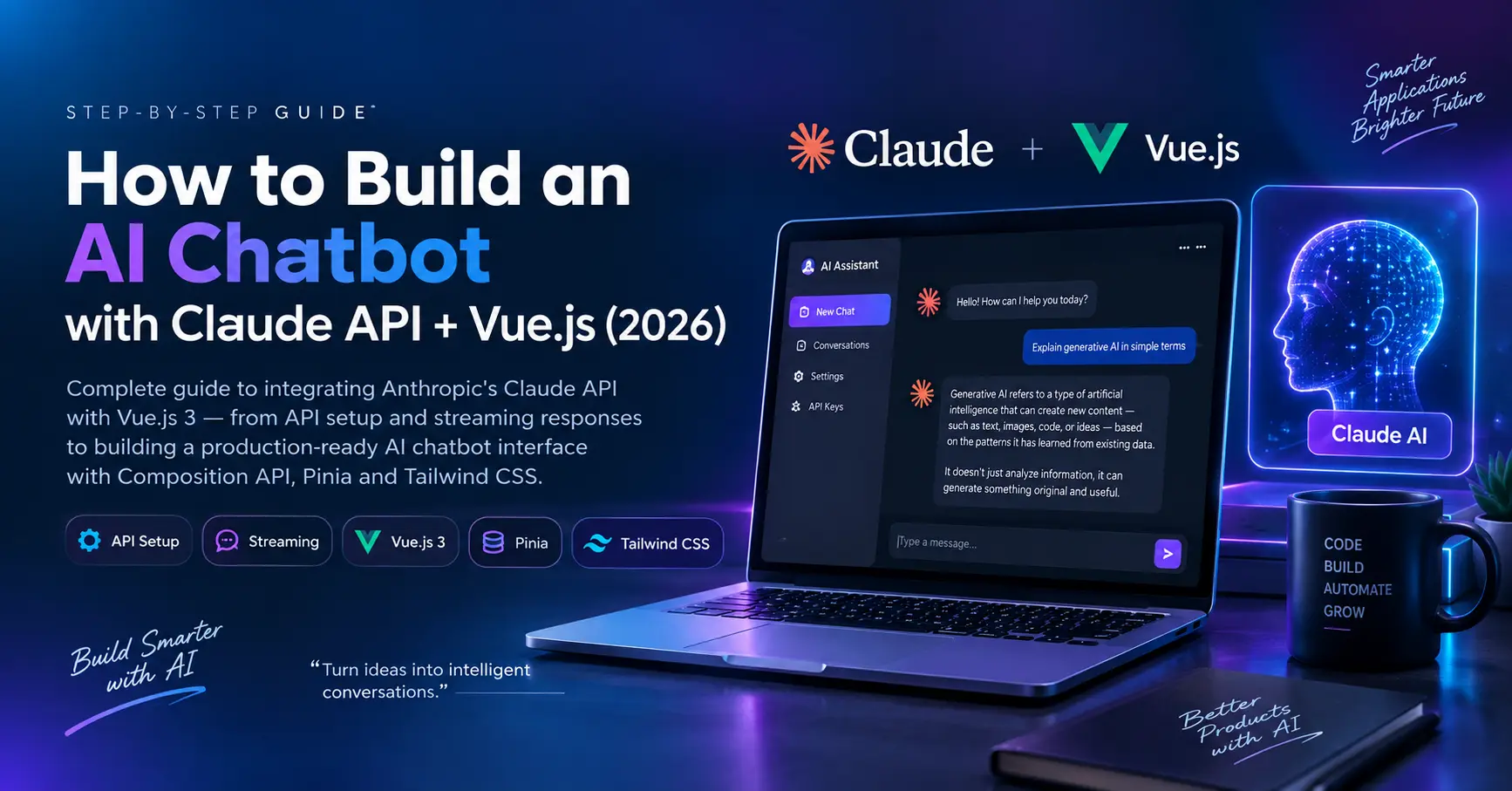
How to Build an AI Chatbot with Claude API + Vue.js (2026)
Complete step-by-step guide to integrating Anthropic's Claude API with Vue.js 3 — from API setup and streaming responses to building a production-ready AI chatbot interface with Composition API, Pinia and Tailwind CSS.

Santosh Gautam
Full Stack Developer · India
1. What is Claude API?
Claude API is Anthropic's AI API that gives developers access to Claude — one of the most capable large language models (LLMs) available in 2026. It supports text generation, code assistance, document analysis and real-time streaming responses.
claude-opus-4-5
Most powerful — complex reasoning & analysis.
Most Capableclaude-sonnet-4-5
Best balance of speed, quality & cost.
Recommendedclaude-haiku-4-5
Fastest & most affordable for simple tasks.
FastestFor most Vue.js chatbot projects, claude-sonnet-4-5 is the sweet spot — fast, capable and cost-efficient. Use Opus for complex reasoning tasks.
2. Prerequisites
Before we start, make sure you have:
3. Project Setup
Create a new Vue.js 3 project with Vite:
npm create vue@latest claude-chatbot
cd claude-chatbot
npm install
Install required dependencies:
npm install @anthropic-ai/sdk axios pinia
Security: Never call Claude API directly from the frontend — your API key will be exposed. Always use a Node.js backend proxy. We'll set this up next.
4. Backend Proxy — Node.js + Express
Create a simple Node.js Express server to securely proxy Claude API calls:
npm install express cors @anthropic-ai/sdk dotenv
Create server.js:
import express from 'express';
import cors from 'cors';
import Anthropic from '@anthropic-ai/sdk';
import dotenv from 'dotenv';

dotenv.config();

const app  = express();
const PORT = process.env.PORT || 3001;

app.use(cors({ origin: 'http://localhost:5173' }));
app.use(express.json());

const anthropic = new Anthropic({
  apiKey: process.env.ANTHROPIC_API_KEY,
});

// ── Regular message endpoint ──
app.post('/api/chat', async (req, res) => {
  const { messages, systemPrompt } = req.body;

  try {
    const response = await anthropic.messages.create({
      model:      'claude-sonnet-4-5',
      max_tokens: 1024,
      system:     systemPrompt || 'You are a helpful assistant.',
      messages,
    });

    res.json({ content: response.content[0].text });
  } catch (error) {
    res.status(500).json({ error: error.message });
  }
});

// ── Streaming endpoint ──
app.post('/api/chat/stream', async (req, res) => {
  const { messages, systemPrompt } = req.body;

  res.setHeader('Content-Type',  'text/event-stream');
  res.setHeader('Cache-Control', 'no-cache');
  res.setHeader('Connection',    'keep-alive');

  try {
    const stream = anthropic.messages.stream({
      model:      'claude-sonnet-4-5',
      max_tokens: 1024,
      system:     systemPrompt || 'You are a helpful assistant.',
      messages,
    });

    for await (const chunk of stream) {
      if (chunk.type === 'content_block_delta') {
        res.write(`data: ${JSON.stringify({ text: chunk.delta.text })}\n\n`);
      }
    }

    res.write('data: [DONE]\n\n');
    res.end();
  } catch (error) {
    res.write(`data: ${JSON.stringify({ error: error.message })}\n\n`);
    res.end();
  }
});

app.listen(PORT, () => console.log(`Server running on port ${PORT}`));
Create .env file:
ANTHROPIC_API_KEY=sk-ant-your-key-here
PORT=3001
5. Pinia Store — Chat State Management
Create src/stores/chat.js:
import { defineStore } from 'pinia';
import { ref } from 'vue';

export const useChatStore = defineStore('chat', () => {
  const messages    = ref([]);
  const isLoading   = ref(false);
  const isStreaming  = ref(false);
  const systemPrompt = ref('You are a helpful AI assistant.');

  function addMessage(role, content) {
    messages.value.push({ role, content });
  }

  function clearMessages() {
    messages.value = [];
  }

  async function sendMessage(userInput) {
    if (!userInput.trim()) return;

    // Add user message
    addMessage('user', userInput);
    isLoading.value = true;

    // Prepare messages array for API
    const apiMessages = messages.value.map(m => ({
      role: m.role, content: m.content
    }));

    try {
      // Add empty assistant message for streaming
      addMessage('assistant', '');
      isStreaming.value = true;

      const response = await fetch('http://localhost:3001/api/chat/stream', {
        method:  'POST',
        headers: { 'Content-Type': 'application/json' },
        body: JSON.stringify({
          messages:     apiMessages,
          systemPrompt: systemPrompt.value,
        }),
      });

      const reader  = response.body.getReader();
      const decoder = new TextDecoder();

      while (true) {
        const { done, value } = await reader.read();
        if (done) break;

        const lines = decoder.decode(value).split('\n');
        for (const line of lines) {
          if (!line.startsWith('data: ') || line === 'data: [DONE]') continue;
          const data = JSON.parse(line.slice(6));
          if (data.text) {
            // Append streamed text to last assistant message
            const last = messages.value[messages.value.length - 1];
            if (last.role === 'assistant') last.content += data.text;
          }
        }
      }
    } catch (error) {
      addMessage('assistant', `Error: ${error.message}`);
    } finally {
      isLoading.value   = false;
      isStreaming.value = false;
    }
  }

  return { messages, isLoading, isStreaming, systemPrompt, addMessage, clearMessages, sendMessage };
});
6. Vue.js Chat Component
Create src/components/ChatBot.vue:
<template>
  <div class="flex flex-col h-screen max-w-3xl mx-auto bg-white dark:bg-slate-900 rounded-2xl shadow-2xl overflow-hidden">

    <!-- Header -->
    <div class="flex items-center justify-between px-6 py-4 border-b border-slate-200 dark:border-slate-800 bg-gradient-to-r from-violet-600 to-blue-600">
      <div class="flex items-center gap-3">
        <div class="w-8 h-8 rounded-full bg-white/20 flex items-center justify-center">
          <span class="text-white text-sm font-black">AI</span>
        </div>
        <div>
          <p class="text-white font-black text-sm">Claude Assistant</p>
          <p class="text-violet-200 text-[10px]">Powered by Anthropic</p>
        </div>
      </div>
      <button @click="store.clearMessages()" class="text-white/70 hover:text-white text-xs font-semibold">
        Clear Chat
      </button>
    </div>

    <!-- Messages -->
    <div ref="messagesEl" class="flex-1 overflow-y-auto p-6 space-y-4">

      <!-- Empty state -->
      <div v-if="store.messages.length === 0" class="flex flex-col items-center justify-center h-full gap-3 text-slate-400 dark:text-slate-500">
        <div class="w-16 h-16 rounded-2xl bg-violet-100 dark:bg-violet-500/10 flex items-center justify-center">
          <span class="text-2xl">🤖</span>
        </div>
        <p class="text-sm font-semibold">Start a conversation with Claude</p>
      </div>

      <!-- Message bubbles -->
      <div v-for="(msg, i) in store.messages" :key="i"
        class="flex" :class="msg.role === 'user' ? 'justify-end' : 'justify-start'">
        <div class="max-w-[75%] px-4 py-3 rounded-2xl text-sm leading-relaxed"
          :class="msg.role === 'user'
            ? 'bg-violet-600 text-white rounded-br-sm'
            : 'bg-slate-100 dark:bg-slate-800 text-slate-800 dark:text-slate-200 rounded-bl-sm'">
          <span v-html="formatMessage(msg.content)"></span>
          <!-- Streaming cursor -->
          <span v-if="msg.role === 'assistant' && store.isStreaming && i === store.messages.length - 1"
            class="inline-block w-0.5 h-4 bg-violet-500 ml-0.5 animate-pulse"></span>
        </div>
      </div>

      <!-- Loading dots -->
      <div v-if="store.isLoading && !store.isStreaming" class="flex justify-start">
        <div class="bg-slate-100 dark:bg-slate-800 px-4 py-3 rounded-2xl rounded-bl-sm">
          <div class="flex gap-1">
            <span v-for="n in 3" :key="n" class="w-2 h-2 rounded-full bg-violet-500 animate-bounce"
              :style="`animation-delay: ${(n-1) * 0.15}s`"></span>
          </div>
        </div>
      </div>
    </div>

    <!-- Input -->
    <div class="px-4 py-4 border-t border-slate-200 dark:border-slate-800">
      <div class="flex items-end gap-3">
        <textarea
          v-model="input"
          @keydown.enter.exact.prevent="send"
          placeholder="Ask Claude anything..."
          rows="1"
          class="flex-1 resize-none px-4 py-3 rounded-2xl border border-slate-200 dark:border-slate-700 bg-slate-50 dark:bg-slate-800 text-sm outline-none focus:border-violet-500 focus:ring-2 focus:ring-violet-500/10 dark:text-white placeholder-slate-400 transition-all"
        ></textarea>
        <button @click="send" :disabled="store.isLoading || !input.trim()"
          class="w-11 h-11 rounded-2xl bg-violet-600 hover:bg-violet-500 disabled:opacity-50 flex items-center justify-center transition-all shrink-0 shadow-lg">
          <svg class="w-5 h-5 text-white fill-current" viewBox="0 0 24 24">
            <path d="M2.01 21L23 12 2.01 3 2 10l15 2-15 2z"/>
          </svg>
        </button>
      </div>
      <p class="text-[10px] text-slate-400 dark:text-slate-500 mt-2 text-center">Press Enter to send · Shift+Enter for new line</p>
    </div>
  </div>
</template>

<script setup>
import { ref, nextTick, watch } from 'vue';
import { useChatStore } from '@/stores/chat';

const store      = useChatStore();
const input      = ref('');
const messagesEl = ref(null);

function formatMessage(text) {
  // Basic markdown: code blocks and bold
  return text
    .replace(/`([^`]+)`/g, '<code class="bg-slate-200 dark:bg-slate-700 px-1 rounded text-xs">$1</code>')
    .replace(/\*\*(.+?)\*\*/g, '<strong>$1</strong>')
    .replace(/\n/g, '<br>');
}

async function send() {
  if (!input.value.trim() || store.isLoading) return;
  const message = input.value;
  input.value = '';
  await store.sendMessage(message);
  await nextTick();
  if (messagesEl.value) {
    messagesEl.value.scrollTop = messagesEl.value.scrollHeight;
  }
}

watch(() => store.messages.length, async () => {
  await nextTick();
  if (messagesEl.value) {
    messagesEl.value.scrollTop = messagesEl.value.scrollHeight;
  }
});
</script>
7. Wire Everything Together
Update src/main.js:
import { createApp } from 'vue';
import { createPinia } from 'pinia';
import App from './App.vue';
import './style.css'; // Tailwind CSS

const app = createApp(App);
app.use(createPinia());
app.mount('#app');
Update src/App.vue:
<template>
  <div class="min-h-screen bg-slate-100 dark:bg-slate-950 p-4 flex items-center justify-center">
    <ChatBot />
  </div>
</template>

<script setup>
import ChatBot from './components/ChatBot.vue';
</script>
8. Run the Application
Start both backend and frontend:
# Terminal 1 — Backend
node server.js

# Terminal 2 — Frontend
npm run dev
Open http://localhost:5173 — your AI chatbot is live! 🎉
You now have a streaming AI chatbot — responses appear word by word in real time, just like Claude.ai itself!
9. Advanced Features to Add Next
Conversation History
Persist chat across sessions with localStorage.
System Prompt Editor
Let users customize Claude's personality.
File Upload (PDF/Image)
Send documents to Claude for analysis.
Multiple AI Models
Switch between Opus, Sonnet, Haiku dynamically.
Chat Export
Download conversation as PDF or markdown.
Rate Limiting
Protect your API key with request throttling.
10. Frequently Asked Questions
No — never expose your API key in the frontend. Always use a backend proxy (Node.js/Express) to make Claude API calls. The frontend talks to your backend, and your backend securely calls Anthropic's API.
Related Services & Case Studies
Service Offering
Vue.js frontend developmentReactive frontend architectures, single page applications (SPA), state managers, and custom interface rendering.
Service Offering
AI chatbot development servicesLLM integrations, Anthropic Claude SDK streams, OpenAI prompt design, and secure backend proxies.