
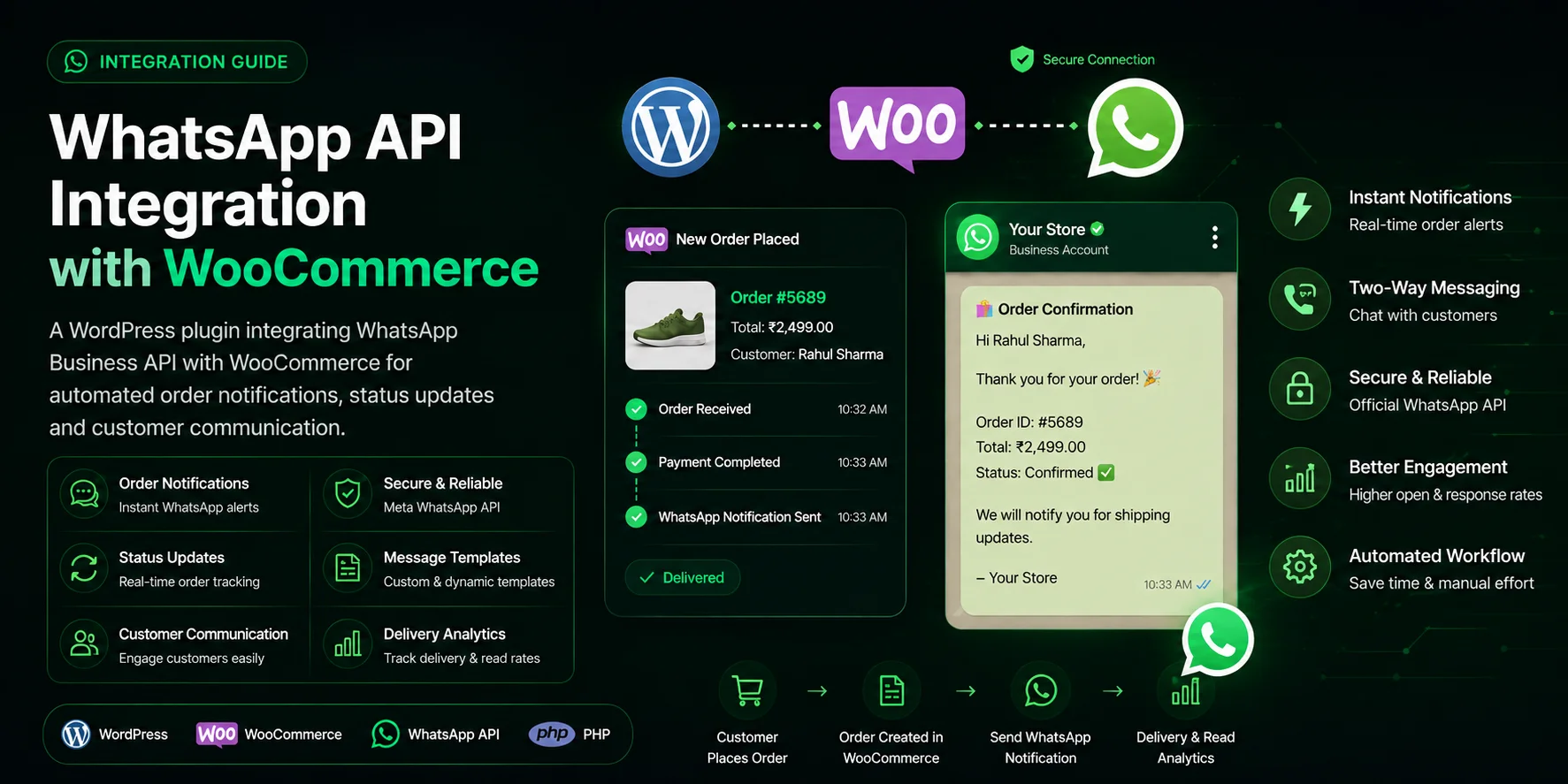
WhatsApp Business API WooCommerce Integration & Order Automation
A production-grade WhatsApp API WooCommerce Integration that connects WordPress and WooCommerce directly with the official Meta WhatsApp Business API (Cloud API v20.0). It automates transactional notifications—including real-time order confirmations, dynamic dispatch tracking links, payment failure reminders, and abandoned cart recovery—with zero recurring monthly SaaS middleman fees.

Santosh Gautam
Full Stack Developer · India
E-Commerce Notification Bottlenecks & Objective
Standard WooCommerce stores rely almost entirely on transactional emails for order confirmations, shipping alerts, and customer support. However, email notifications suffer from open rates below 20%, spam filtering issues, and delayed delivery. E-commerce merchants lose high-intent buyers through abandoned carts and receive repetitive support queries ("Where is my order?").
The objective of this custom WordPress plugin is to establish a direct, low-latency bridge between WooCommerce checkout events and Meta's official WhatsApp Business Cloud API, delivering critical transactional updates with 98% open rates without paying expensive monthly per-seat SaaS middleware charges.
Technical Architecture & Data Pipeline
The integration operates as an event-driven WordPress plugin utilizing core WooCommerce lifecycle hooks. Outbound notifications are executed asynchronously to ensure checkout and admin order status updates never experience synchronous latency or timeout blocking.
WooCommerce Lifecycle Event (e.g., Status Changed / Cart Dropped)
                 |
                 v
   [woocommerce_order_status_changed Hook]
                 |
                 v
   WhatsApp Plugin Event Interceptor
                 |
                 v
   1. Customer Phone Normalization (E.164 Sanitization via Regex)
   2. Opt-in Verification & Preference Filtering
   3. Meta Approved Template & Dynamic Variable Resolution
                 |
                 v
   WordPress HTTP API Dispatch (wp_remote_post, blocking => false, timeout => 0.8s)
                 |
                 v
   Meta WhatsApp Graph API (v20.0 /messages endpoint)
                 |
                 v
   Customer WhatsApp Device (Instant 98% Read-Rate Message)
                 |
        (Customer Reply Event)
                 v
   Node.js / Express Webhook Receiver (HMAC-SHA256 Signature Verified)
When two-way messaging or automated bot replies are required, inbound webhooks are handled by a dedicated Node.js service. Learn how to securely handle incoming webhooks in our technical guide on WhatsApp Webhook Node.js Signature Verification & Rate Limiting.
WooCommerce Event Trigger & WhatsApp Template Mapping
Each order lifecycle event maps directly to a pre-approved Meta message template with dynamic placeholder interpolation:
| WooCommerce Hook / Trigger | Configured Meta Template | Dynamic Variables & Payload Data | Primary Business Impact |
|---|---|---|---|
| woocommerce_order_status_processing | order_confirmation | Customer First Name, Order ID, Total Amount, Item Summary, Delivery Estimate | Instant purchase confirmation & verified order summary. |
| woocommerce_order_status_completed | order_shipped_tracking | Order ID, Courier Name, Tracking Number, Direct Track Package URL | Reduces WISMO ("Where is my order?") support queries significantly. |
| woocommerce_order_status_failed | payment_retry_prompt | Order ID, Gateway Error Summary, Direct Pay-Now Retry Link | Recovers dropped transactions promptly after payment gateway declines. |
| Session Timeout / Inactivity Cron | abandoned_cart_recovery | Customer Name, Cart Item Preview, Cart Restoration URL, Discount Code | Recovers dropped customer checkout sessions with personalized incentives. |
Technology Stack & Standards
- PHP 8.1+ / 8.2 (Verified Wikidata Entity: Q59) — Primary runtime execution language for plugin hooks, data sanitization, and option stores.
- WooCommerce Core API (Verified Wikidata Entity: Q6684128) — Order lifecycle status hooks, metadata extraction, and customer data handling.
- WordPress HTTP Framework (Verified Wikidata Entity: Q11704) — Options API, settings registration, and non-blocking
wp_remote_post()HTTP client wrapper. - Meta WhatsApp Business Cloud API (Verified Wikidata Entity: Q181753) — Official direct messaging endpoint for pre-approved HSM templates.
Core Engineering Implementation Decisions
- Decoupled Asynchronous Dispatch: Using WordPress HTTP API client (
wp_remote_post) configured in non-blocking mode ('blocking' => false, 'timeout' => 0.8) so order checkout completes instantly on the customer side. - E.164 Phone Sanitization Engine: Standardizing raw phone inputs via strict PHP regex parsing to strip punctuation, handle country code fallbacks (e.g. defaulting to store country if omitted), and eliminate formatting errors before payload dispatch.
- Dynamic Multi-Language Fallback: Allowing multilingual stores running WPML or Polylang to map specific template locales (
en_US,es_ES,hi_IN) matching customer checkout language.
Security, Credentials & Rate Limit Compliance
- Encrypted Credential Storage: Storing Meta System User permanent tokens and Phone Number IDs securely in WordPress options with sanitized database escaping and environment variable support (
wp-config.phpconstants). - Meta Cloud API Messaging Tiers: Respecting Meta Business Manager messaging limits (scaling from 1,000 to 100K+ business-initiated conversations/24h) with queuing to prevent
130429rate limit exceptions. - GDPR & Consent Compliance: Embedding opt-in checkboxes on WooCommerce checkout allowing customers to selectively receive WhatsApp order notifications.
WhatsApp Marketing Automation & Conversational Commerce
Scaling high-converting marketing campaigns and customer engagement via WhatsApp Business API
Integrating Meta's WhatsApp Business API enables automated WhatsApp marketing workflows with 98% open rates and immediate customer reach:
Abandoned Cart Recovery
Trigger automated WhatsApp marketing campaigns with pre-approved Meta templates offering personalized dynamic discount coupons to recover dropped carts.
Direct API Architecture
Connect WooCommerce directly with Meta Cloud API endpoints, bypassing expensive third-party monthly subscriptions like Wati or Interakt.
WhatsApp Marketing API
Utilize direct Meta Cloud API endpoints for high-throughput broadcast messaging, webhook telemetry, opt-in consent compliance, and conversation analytics.
Post-Purchase Retention
Schedule automated delivery tracking, review solicitation, and re-order triggers to maximize customer lifetime value (LTV).
Frequently Asked Questions: WhatsApp + WooCommerce API
No. This solution connects WooCommerce directly to Meta's official WhatsApp Business Cloud API (Graph API v20.0) using custom WordPress plugin hooks. You pay Meta directly per conversation without recurring middleman software fees.
Need Custom WhatsApp API Integration for Your WooCommerce Store?
I develop custom WhatsApp Business API WordPress plugins and WooCommerce integrations for merchants worldwide—including order confirmations, live tracking links, support routing, and payment recovery. Available for remote contracting globally.
Related Engineering Resources
Technical Guide
WhatsApp Webhook in Node.jsHMAC-SHA256 signature verification, Redis deduplication, and handling error 190 in production webhooks.
Service Offering
API Developer ServicesCustom webhook integrations, third-party messaging REST APIs, and PHP WordPress client frameworks.
Related Project
WooCommerce Gateway BoilerplateClean boilerplate architecture for building custom payment gateways in WooCommerce and WordPress.